

Check that a dataset is ready to train
Before you train a model, the overview of a dataset tells you what is missing: images without a label, classes with too few examples, a split that is not set. In this guide you read the overview of a dataset and go to fix what it points at.
What you will learn
- What the overview of a dataset sums up
- How to read the training readiness checklist
- Where each warning takes you to fix it
1. Read the overview
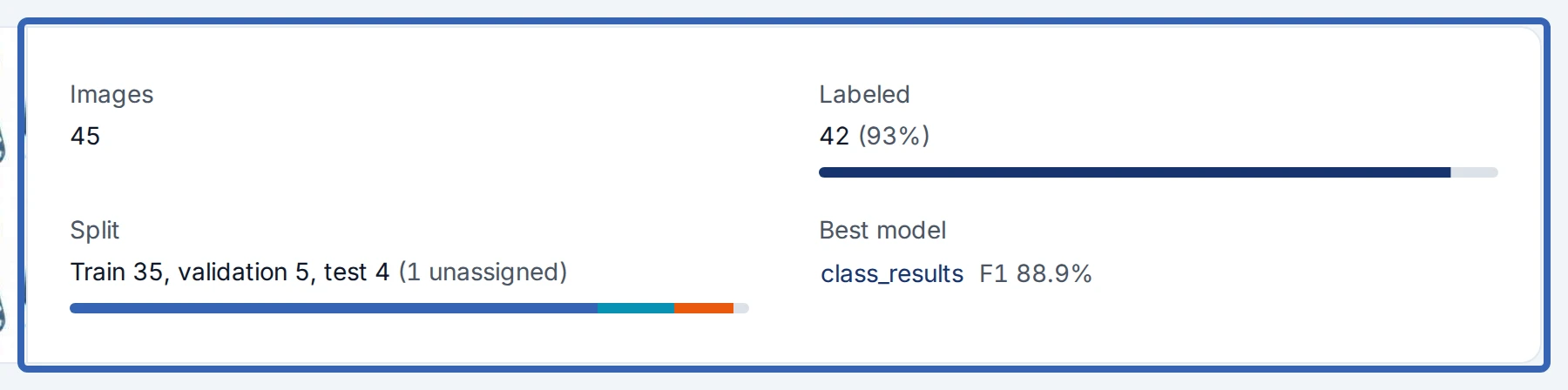
Open a dataset: it starts on the «Overview» tab. The top card shows a few of its images, how many there are, how many are labeled, how they are split between training, validation and test, and the best model trained so far. Click a sample image to open it in the editor.
2. Look at the classes
«Classes» shows how many images each tag has. A class with few examples is marked with a warning: a model learns little from it. Aim for a few dozen images per class, and for classes of similar size. «Manage tags» opens the «Tags» tab.

3. Read the training readiness
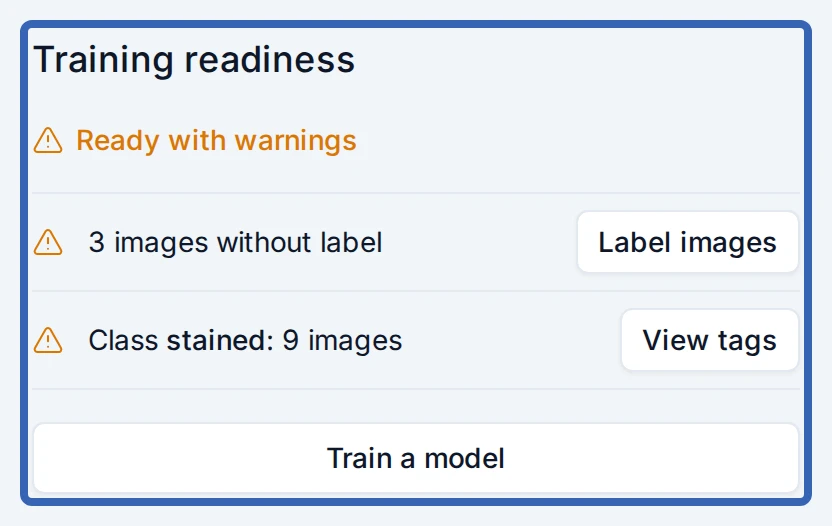
«Training readiness» checks the dataset and gives a verdict:
- «Ready to train». Nothing is missing.
- «Ready with warnings». You can train, but the model will be better if you fix the warnings first.
- «Not ready». Something is missing, such as images or labels, and «Train a model» stays disabled.
Typical checks are images without a label, classes with fewer than 10 images, images still pending review (in detection datasets) and a split that is not set (the training then makes one).
4. Go to fix a warning
Each check has a button that takes you to the place where it is fixed: «Label images» opens the image grid, «View tags» the «Tags» tab, «Upload» the upload, and «Validate» the review of annotations. Here three images have no label yet.
5. Find the images without a label
In the image grid, click «Unclassified» on the right to see only the images that still need a tag. When the overview has no warnings left, click «Train a model».

Next steps
- Label images for classification to give these images their tag
- Upload images to a dataset to add examples to a short class
Recorded on Rosepetal release 1.8.15.